
You build your own look rather than picking from a pile of fixed templates. The result is unique to your business and consistent across every post.
The wizard is five steps and takes about two minutes. A live preview sits beside it the whole way, so every choice you make shows up on a real review from your own listing before you commit to it.
Layout
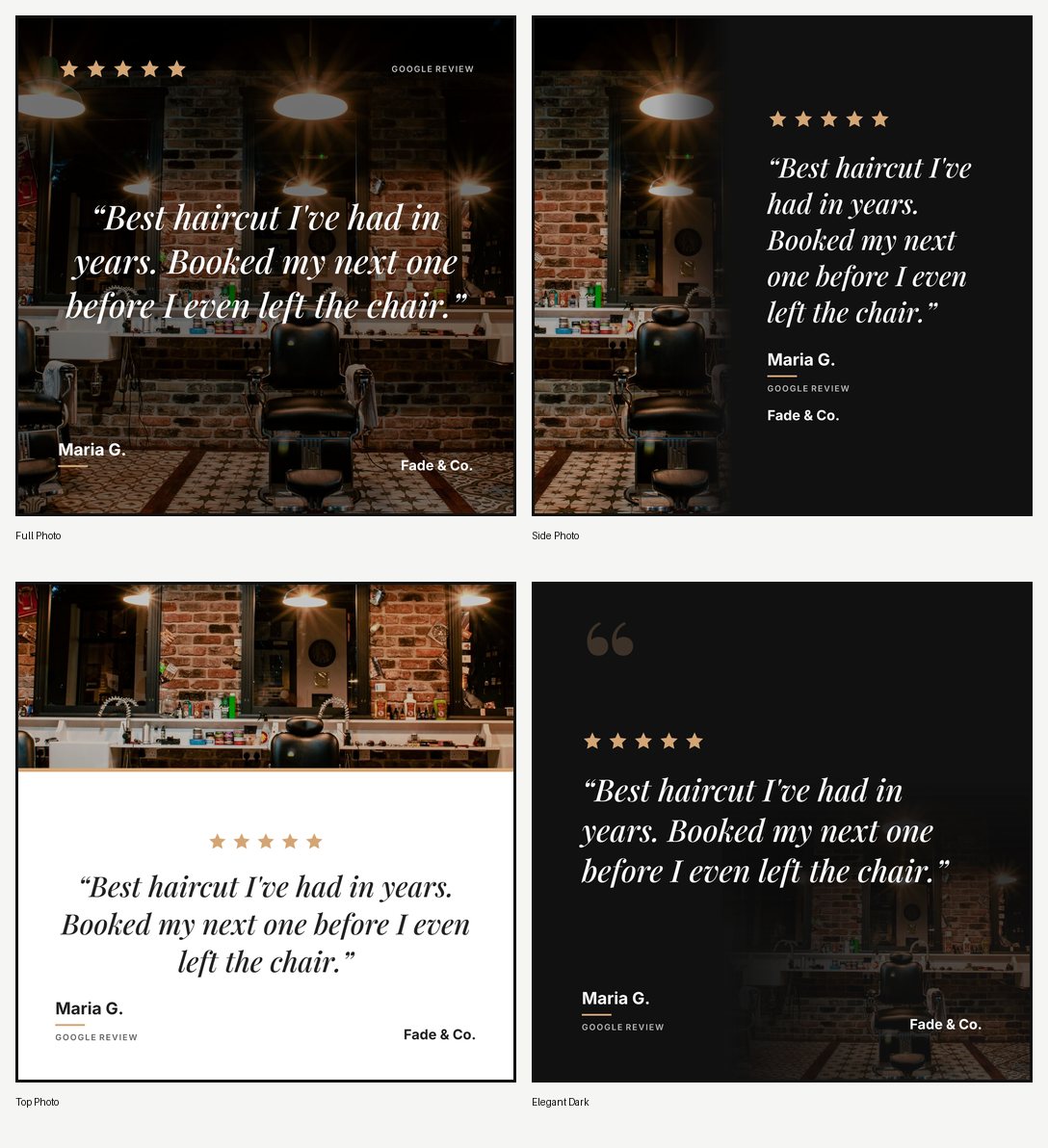
Four arrangements of the same three things: the photo, the quote, and your name.
Full Photo fills the post and puts the text over the top, which is the most dramatic. Side Photo runs the picture down one edge with the quote on a dark panel. Top Photo puts the picture above and the words below, which is the most versatile and the easiest to read. Elegant Dark is near black and minimal, and works with no photo at all.
Here is the same review in all four:
Background
A solid colour, a gradient, a photo from the stock library, or your own upload.
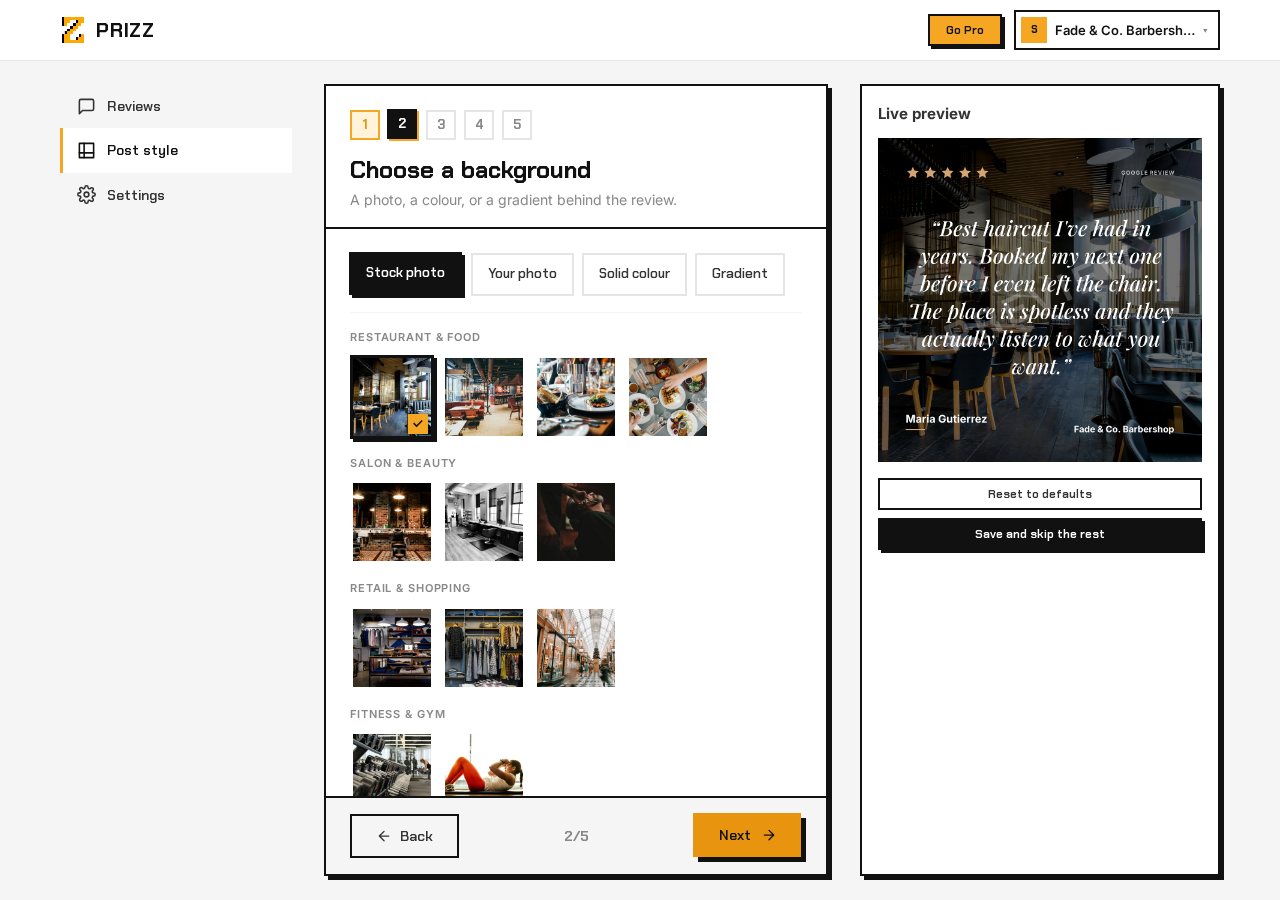
The stock library has around 20 photos grouped by trade, so a restaurant is not choosing between pictures of gym equipment. Your own photo almost always beats a stock one: a picture of your actual room makes the post unmistakably yours.
For a photo background there is also an overlay slider, which controls how dark the picture goes behind the text. A bright photo needs a heavier overlay before white text is readable on it.
Type and colour
Four faces, and one accent colour that runs through the stars and the details.
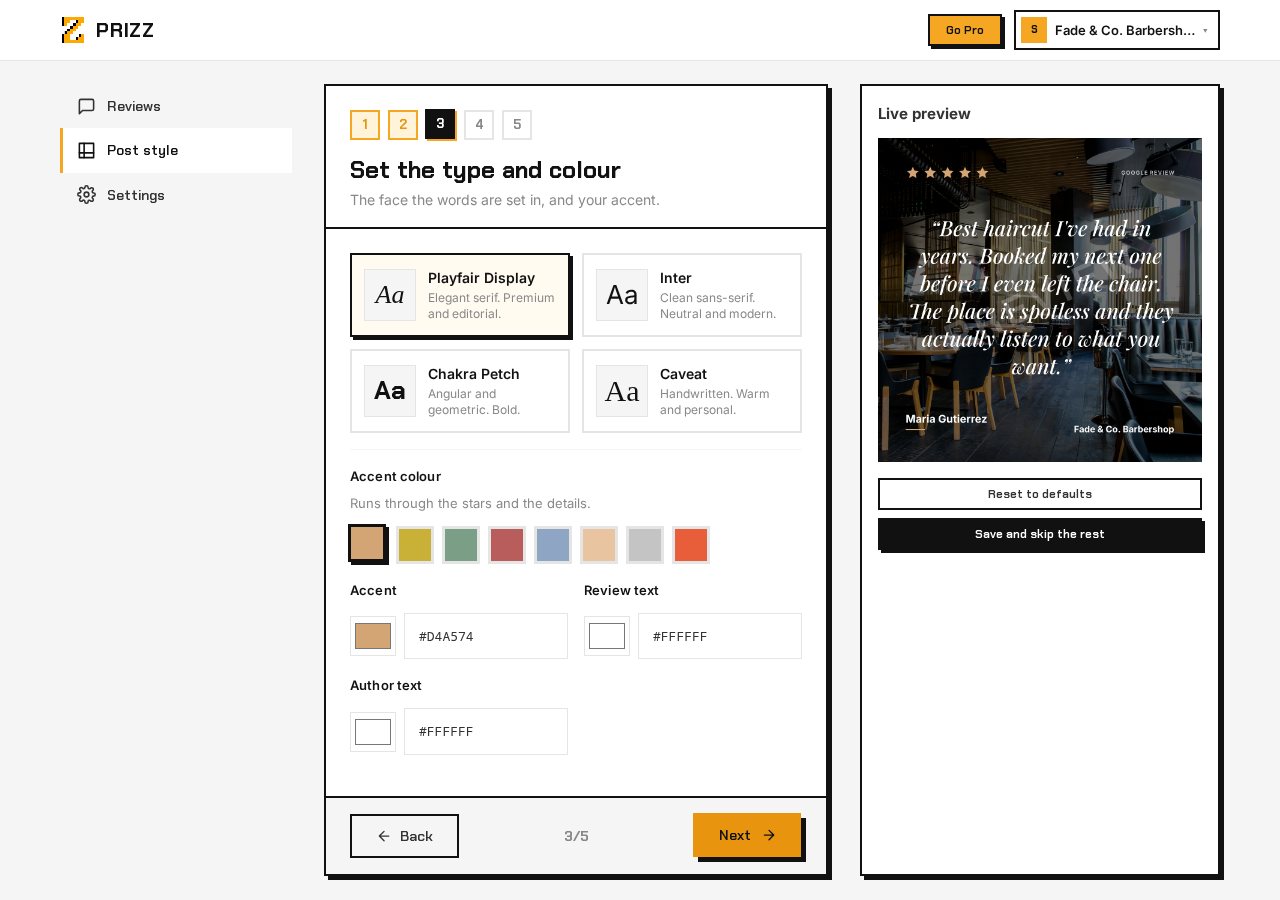
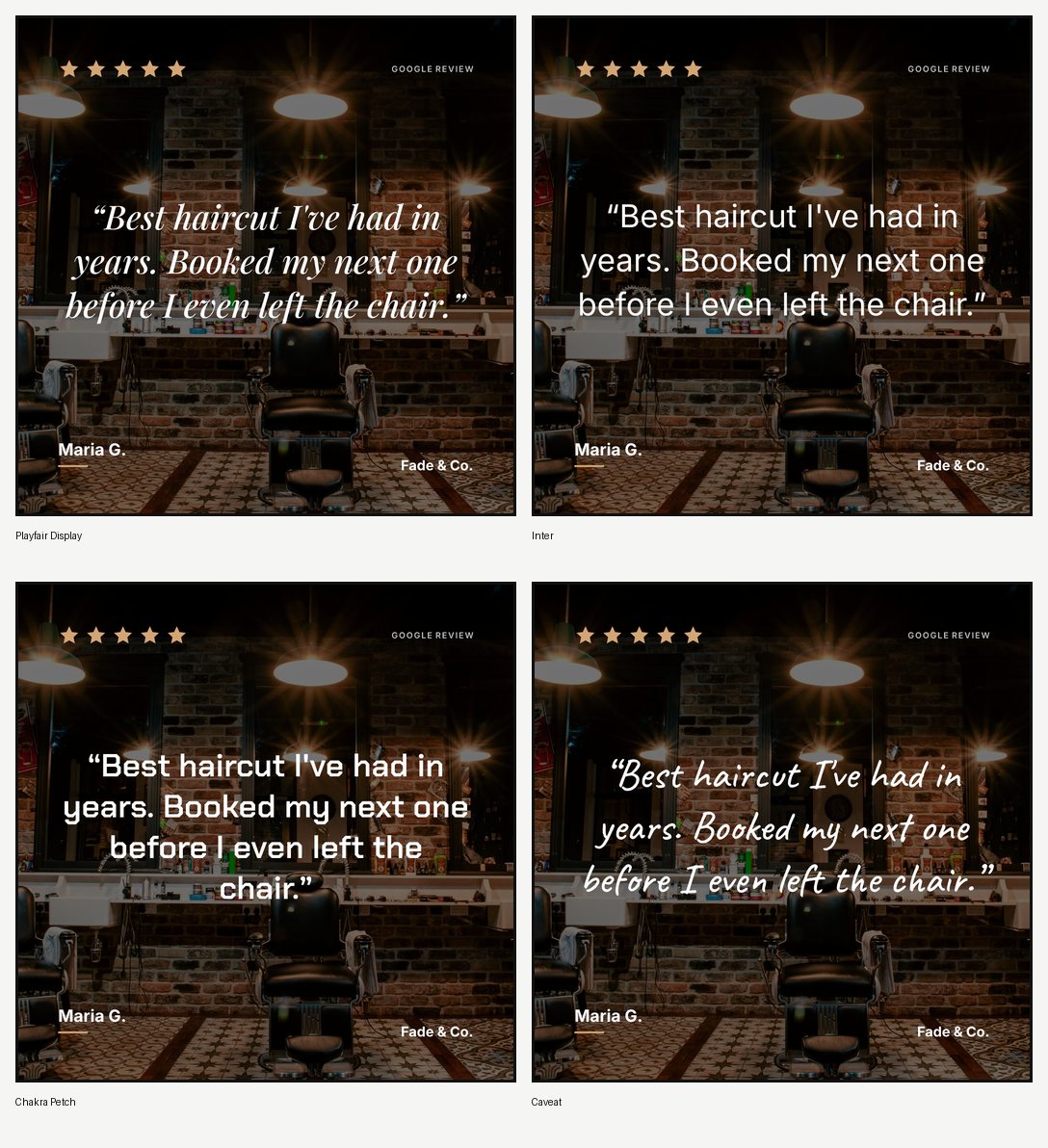
Playfair Display is an elegant serif and reads as premium. Inter is a clean sans-serif that gets out of the way. Chakra Petch is angular and bold. Caveat is handwritten and warm. The difference is more than decorative, so it is worth seeing them side by side:
The accent colour comes from eight presets or any custom hex value. It is the one place your brand colour appears, which is why it is a single choice rather than a palette.
Brand mark
Your logo, your business name as text, both, or neither.
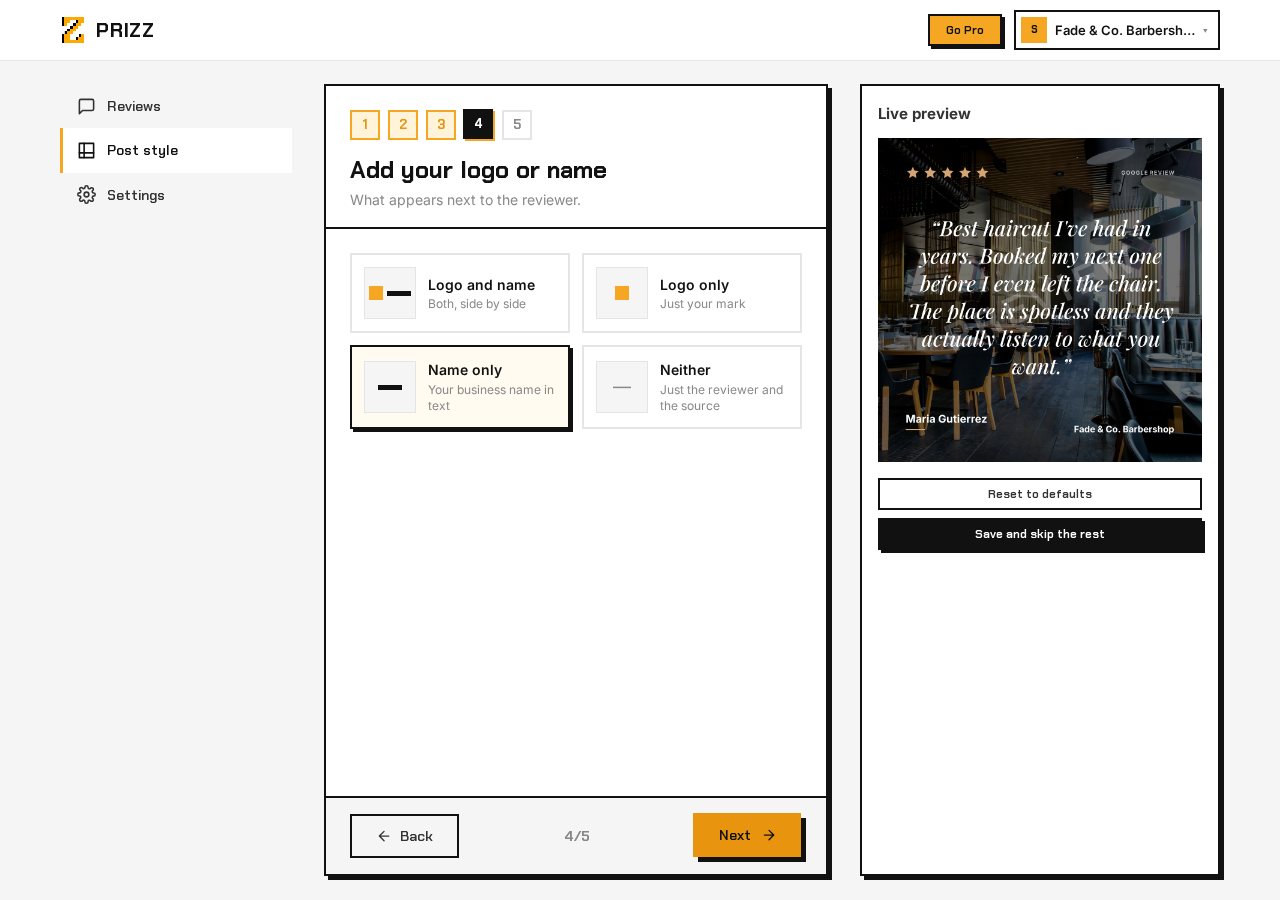
If you upload a logo, it is uploaded from here without leaving the wizard, so you do not lose the choices you have already made. Text-only is a reasonable default: on a square post at arm’s length, a business name set in your accent colour reads better than a small logo.
Set it once, use it forever
You configure your look once. Every post you generate from that point uses your settings automatically. When you tap a review and hit share, the output already matches your brand, and there are no design decisions left to make.
Live preview
Every change updates the preview instantly, against a real review from your own listing rather than placeholder text. Switch from Full Photo to Side Photo, swap the font from serif to handwritten, change the accent colour, and see the result before you save.