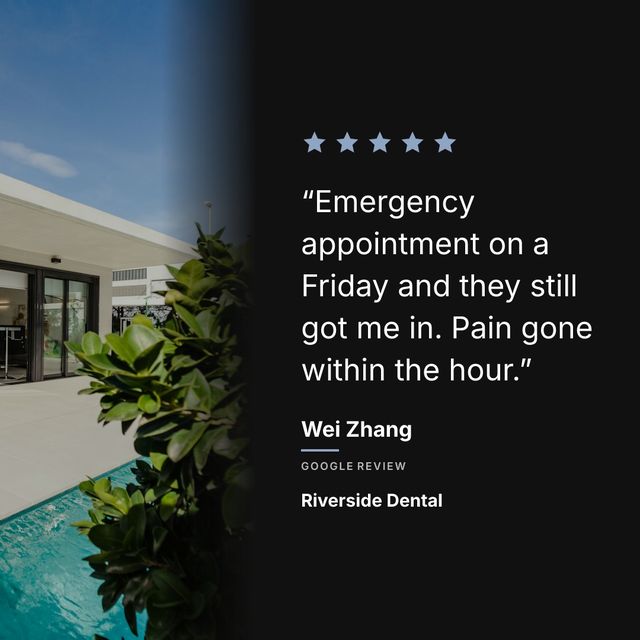
A Google review is written, credible and about your business, and it is sitting on a page most of your customers will never open. Repurposing means moving it somewhere people actually look.
Where one review can go:
- An Instagram post
- An Instagram Story, saved to a highlight
- Your website
- Your email newsletter
- Something printed, at the counter or on the table
- A post on your Google Business Profile
Why reviews repurpose better than anything else you make
Everything else on your feed is you talking about yourself. You wrote the caption, you framed the photo, you picked the angle. A review is somebody else saying it, which is why it carries weight your own copy never will.
That is also why it survives being moved around. The same quote works on a phone screen, on a website, and printed next to your till, because what makes it convincing is who wrote it rather than where it appears.
Instagram posts
The highest-value version is a branded square: a photo of your place behind the words, your colours, the stars, the reviewer’s name. It reads as something you made on purpose, which a screenshot never does.
Building one by hand in Canva runs to fifteen or twenty minutes. A tool like Prizz pulls the review and applies your branding in about ten seconds. Either way, the guide is how to share Google reviews on Instagram.
Instagram Stories
Post the same graphic to your Story with a link sticker pointing at your booking page. Stories reach people who scroll past feed posts, and they expire after a day, so save the best ones to a highlight called Reviews. New visitors to your profile then find a stack of them without scrolling.
Your website
A row of five reviews on your homepage, with first names and star ratings, does the same job as the feed post for someone who arrived from search instead of social. Refresh it every few months.
This matters most for the businesses people research before phoning: dentists, salons, garages. The website visit is often the last step before the call.
If you send anything monthly, put one review in it. A single line, a name, and a link to book. It reminds a past customer why they liked you, which is cheaper than finding a new one.
Printed, where people are standing
A table card or a receipt line: “Don’t take our word for it”, then the quote, then a QR code to your Google page. It does two jobs at once, showing social proof to the person reading it and asking them for the next review.
The Instagram graphic works unchanged. The audience skews older, so it reaches people your feed does not.
Your Google Business Profile
Google lets you publish posts straight onto your listing, where they show in Search and Maps. A review with a short call to action keeps the listing active for the people who are already looking you up.
A workflow that survives a busy week
Do not try to put every review everywhere. Once a week, pick the best one. Make the Instagram post. Send the same image to Facebook. If it is a really good one, add it to the website and save it for the next newsletter.
One review, four places, about fifteen minutes. Two minutes if the graphic makes itself. Over a year that is fifty pieces of content you did not have to write, which is the whole argument for getting more out of the reviews you already have.