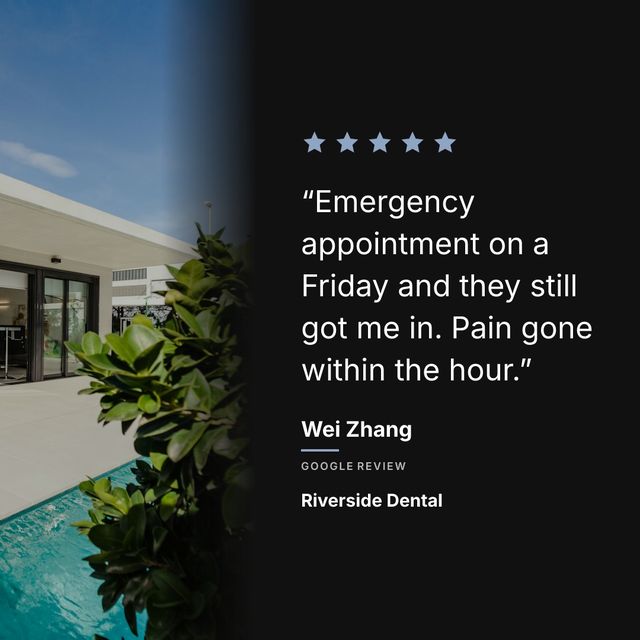
Pick the reviews that say something specific, put the words on a branded 1080x1080 graphic, credit the reviewer by first name, and post about one a week. The review is already written. The work is turning it into something that looks like it belongs on your feed.
Your Google Business Profile has dozens of reviews. Some of them are genuinely well-written. Customers describing exactly what they liked, mentioning specific dishes, naming staff members, saying they will come back. These are better marketing copy than anything you could write yourself, because they come from someone with no reason to lie.
How to do it:
- Pick reviews that name a dish, a person, or a result
- Pull the strongest sentence or two, without changing the words
- Put it on a 1080x1080 graphic in your brand colours
- Credit the reviewer’s first name and mark it as a Google review
- Post one a week rather than five in a day
And they are sitting on a Google page that most people never visit directly.
The fix is simple: take those reviews and put them where people actually spend their time. Instagram, Facebook, LinkedIn. Wherever your customers hang out. A five-star review that lives only on Google reaches people who are already searching for you. The same review posted on Instagram reaches people who have never heard of you.
The screenshot problem
The first instinct is to screenshot the review from Google Maps and post it. This is fast, free, and ugly. The Google interface was not designed to be an Instagram post. The text is small, there is a bunch of UI around it that adds nothing, and the result looks like someone took a photo of their screen.
Some businesses crop the screenshot to just the review text. This is slightly better but still looks unpolished. It tells your audience that you care about reviews but not enough to spend five minutes making them look good.
The Canva approach
The next step up is designing a graphic in Canva or Photoshop. You create a branded template with your colors, fonts, and logo, type in the review text, add stars, and export it. The result looks professional.
The problem is time. Each review takes 10 to 20 minutes to turn into a graphic. If you want to post one review per week, that is an hour a month of design work. Most small business owners do this for a few weeks and then stop because they have actual work to do.
If you want to learn more about this specific workflow, read our guide on how to share Google reviews on Instagram.
Automating the whole thing
Tools exist that connect to your Google reviews and generate social-ready graphics automatically. You set your brand colors and logo once, pick which reviews you want to post, and the tool handles the rest.
Prizz is one of these tools. You paste your Google Maps link, your reviews load, and you pick the ones you want to share. The tool generates a 1080x1080 Instagram graphic with your brand colors, a background photo (from a stock library or your own upload), and the review text in a clean layout. It also generates a caption with the review text and hashtags.
The whole process after initial setup is about 15 seconds per review. And when new reviews come in, you get a push notification with the graphic already prepared.
Which reviews to post
Not every review makes a good social post. Here is what to look for:
Reviews that mention something specific work better than generic praise. “Great food and service” is forgettable. “The mushroom risotto was the best I have had outside of Italy” gives people a reason to visit.
Reviews that tell a story perform well. “We came here for our anniversary and the staff surprised us with a dessert” paints a picture. People reading it can imagine themselves there.
Longer reviews are not always better for posts. A 400-word review is too much text for an Instagram graphic. If the review is long, pull the best sentence or two. The full review lives on Google for anyone who wants to read it.
Stick to five stars. A four-star review with a caveat in it (“the food was incredible, parking was a bit tricky”) makes the reader think about the parking. You are handing them a reason to hesitate on the one piece of content whose entire job is removing reasons to hesitate. Prizz only notifies you about five-star reviews for exactly this reason.
How often to post reviews
Once a week is a good starting point. Enough to keep your feed active with social proof, not so much that your Instagram becomes nothing but review graphics. Mix them in with photos of your work, your team, your space, and anything else that shows what your business is about.
If you use Prizz, the push notifications make this easy. A new review lands, you get a notification, you tap share. It becomes part of your routine instead of a separate task you have to remember.