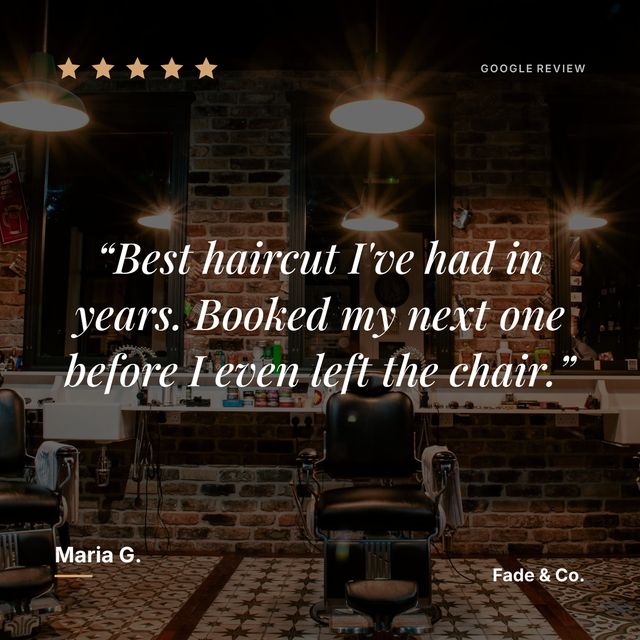
You can automate almost the whole path from a review appearing on your Google listing to a branded post on your Instagram. The part worth automating is the design work. The part worth keeping is the decision about what goes out.
The short version:
- Connect your Google Maps listing to a tool that syncs reviews
- It checks for new ones on a schedule
- A new five-star review reaches your phone as a notification
- You tap it and the post is already made
- You tap share
What “automated” actually means here
Three different things get called automation, and they cost very different amounts of your attention.
You do all of it. A review lands, you open Canva, you retype the text into a template, you nudge the layout until the words fit, you export, you upload. Fifteen to twenty minutes a review. Nothing is automated. Most people start here and quietly stop after a month.
The design is automated, the choice is yours. A tool holds your reviews, applies your branding, and hands you a finished graphic. You decide which reviews are worth posting. This is where Prizz sits: paste your Maps link once, set your colours and type once, and every review after that is a tap.
All of it is automated. The tool picks reviews by rule and publishes them to Instagram itself. SocialReview.io works this way. What you give up is the last look before something appears under your name.
The middle option suits most small businesses. The tedious part is gone and the judgement stays with you, which matters because a review that reads fine on Google can read oddly when it is blown up to 1080 pixels on your feed.
What Prizz automates
Sync. You paste your Google Maps link once. Prizz reads your existing reviews, then keeps checking. Free accounts are checked once a day, Pro accounts twice.
Design. When a new review arrives, Prizz builds a 1080 by 1080 graphic from the layout, colours, type and background you chose. You are not asked again.
Notify. A new five-star review sends a push notification to your phone. Five only, because a four-star review is not something anybody advertises.
Share. Tap the notification and the finished post is on screen with the caption written. Tap share and pick Instagram. About ten seconds from buzz to posted.
Setup takes a couple of minutes the first time. After that there is nothing to configure.
What full autopilot asks of you
Any tool that posts to Instagram on your behalf needs an Instagram Business or Creator account, a Facebook Page linked to it, and your permission to publish under your name. Worth knowing before you start, because that is a change to how your account is set up rather than a setting inside the tool.
The bigger question is the last check. A review can name a member of staff who has since left, describe a dish you no longer serve, or say something kind in a way you would rather not amplify. On autopilot, the first you know of it is seeing it on your own feed.
If you do want it fully hands off, SocialReview.io publishes to Instagram and Facebook on your behalf. Their free plan carries their branding on the output; removing it is $25 a month.
How the tools compare
| Tool | How much it automates | Price | Photo backgrounds | Tells you about new reviews |
|---|---|---|---|---|
| Prizz | Syncs, designs, notifies. You tap share | Free for 3 a month, $15/month after | Stock library plus your own uploads | Push notification with the post ready |
| SocialReview.io | Publishes to Instagram and Facebook itself | Free with their branding, $25/month to remove it | Not among its listed features | No |
| TapsReviews | Designs. You download and upload | $4.99 to $19.99/month, watermark on the trial | Colour backgrounds | No |
| Canva | Nothing | Free | Yes, placed by hand | No |
Prizz and SocialReview automate the most, and they draw the line in different places. TapsReviews makes the graphic but leaves you carrying the file to Instagram yourself.
For the full picture, read the best tools to turn reviews into Instagram posts, or the head-to-heads on Prizz and SocialReview and Prizz and TapsReviews.