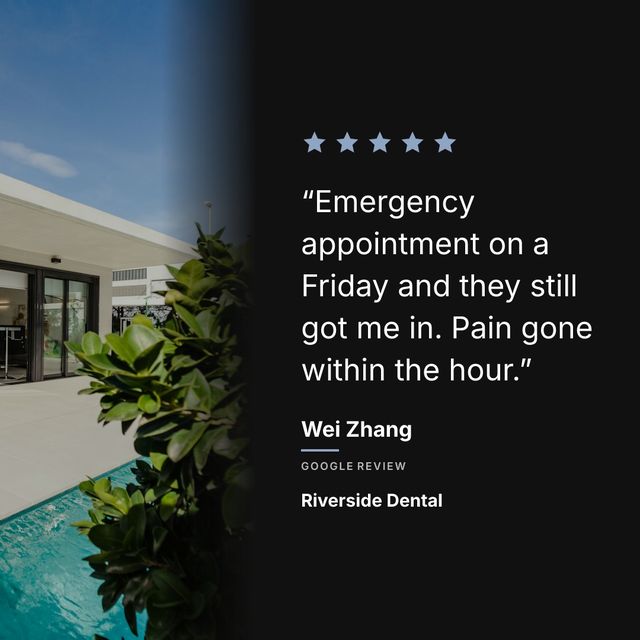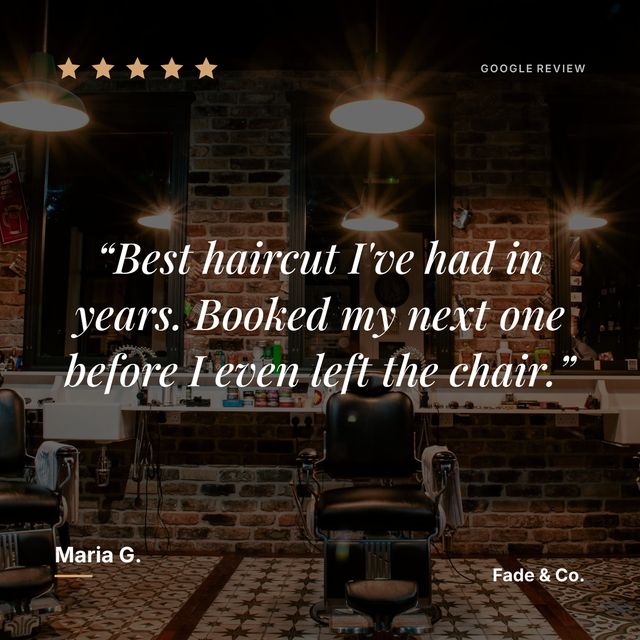
Put the review’s words on your own graphic instead of photographing Google’s interface. You can rebuild it in a design tool, or use something that pulls the review text and lays it out for you. Either way the reviewer’s words are the content and Google’s screen is not.
If you have ever screenshotted a Google review and posted it to Instagram, you know what happens. The image looks like you took a photo of your screen because that is exactly what you did. The Google interface, the tiny text, the profile pictures, the “Translate review” button, all of it ends up in the post.
What to do instead of screenshotting:
- Copy the review text, or let a tool pull it for you
- Put it on a 1080x1080 graphic with your colours and logo
- Keep the star rating and the reviewer’s first name
- Say it came from Google so people know it is real
Your customers wrote something nice about your business, and the way you shared it makes it look like an afterthought.
There are better ways.
Why screenshots look bad
A Google review page was designed to be read on Google, not to be an Instagram post. The text is small because it is meant to sit alongside other reviews on a scrollable page. The star rating is tiny. There is a lot of grey space and interface elements that mean nothing to someone seeing it on Instagram.
When you screenshot that and post it as a 1080x1080 square, you are forcing a web interface into a format it was never meant to occupy. The text becomes hard to read on a phone screen. Your brand is nowhere in the image. It looks unprofessional, and it sits on your feed alongside posts from competitors who took the time to make something that actually looks good.
Method 1: Type it into a design tool
Open Canva, Figma, or whatever you use. Create a 1080x1080 canvas. Type the review text. Add the reviewer’s name. Add stars. Use your brand colors and logo. Export and post.
This looks much better than a screenshot. The problem is the time it takes. Each review is 10 to 20 minutes of work. We wrote a full guide on this process in our post about Google review Instagram templates.
Method 2: Copy the text into a caption instead
Some businesses skip the graphic entirely and just write the review as a text post or include it in a carousel caption. This works on platforms like LinkedIn where long text performs well. On Instagram, text-only posts get less engagement than visual content. The graphic matters.
Method 3: Use a tool that generates the graphic for you
Tools like Prizz connect directly to your Google reviews. You paste your Google Maps link, the tool pulls in your reviews, and you pick which ones to turn into posts. The tool generates a branded graphic with your colors, logo, a background photo, and the review text laid out properly.
No screenshotting. No typing review text into a template. No adjusting font sizes to make long reviews fit. The tool handles all of that, and it takes about 15 seconds per review after you set up your brand colors the first time.
The difference it makes
Look at your Instagram feed right now. If you have review screenshots on there, compare how they look next to your other posts. The gap in quality is usually obvious. Those screenshots are working against you. They are supposed to build trust, but the presentation undermines the message.
A clean, branded review graphic tells people two things: your customers love you, and you care enough about your brand to present their words well. Both of those things matter when someone is deciding whether to book, buy, or visit.
Making it a habit
The real challenge is not the design. It is remembering to do it. You get a great review, you think “I should post that,” and then you get busy and forget.
Prizz sends you a push notification when a new five-star review comes in. The graphic is already made. You tap the notification, see the post, and share it. The entire process from notification to Instagram post takes less time than writing a reply to the review.
That is the difference between doing this once and doing it consistently. Consistency is what builds trust on Instagram, and it is where most businesses fall off because the manual process is just annoying enough to skip.